From Insight to Image: Building a Presentation With Flow Intelligence and Visual Prompts
SankeyBuilder has two AI features that solve two different problems. Flow Intelligence looks at your diagram and tells you what's actually going on in it, the drop-offs, the concentrations, the things worth flagging. Visual Prompts takes your diagram and turns it into a set of consistent AI-generated images, one slide per flow.
Most people use one or the other. Used together, on purpose, they build something neither one does alone: a presentation where every slide has both a picture and a reason it matters.
The dataset
Here's a simple e-commerce funnel: three plain columns, Source, Target, Value. Visits split into Product Page or an immediate bounce. Product Page splits into Add to Cart or exit. Add to Cart splits into Checkout or exit. Checkout splits into Purchase or exit.
Download: ecommerce_funnel_demo.csv
| Source | Target | Value |
|---|---|---|
| Organic Search | Visits | 5,000 |
| Paid Ads | Visits | 3,000 |
| Visits | Product Page | 6,400 |
| Visits | Exit | 1,600 |
| Product Page | Add to Cart | 2,560 |
| Product Page | Exit | 3,840 |
| Add to Cart | Checkout | 700 |
| Add to Cart | Exit | 1,860 |
| Checkout | Purchase | 590 |
| Checkout | Exit | 110 |
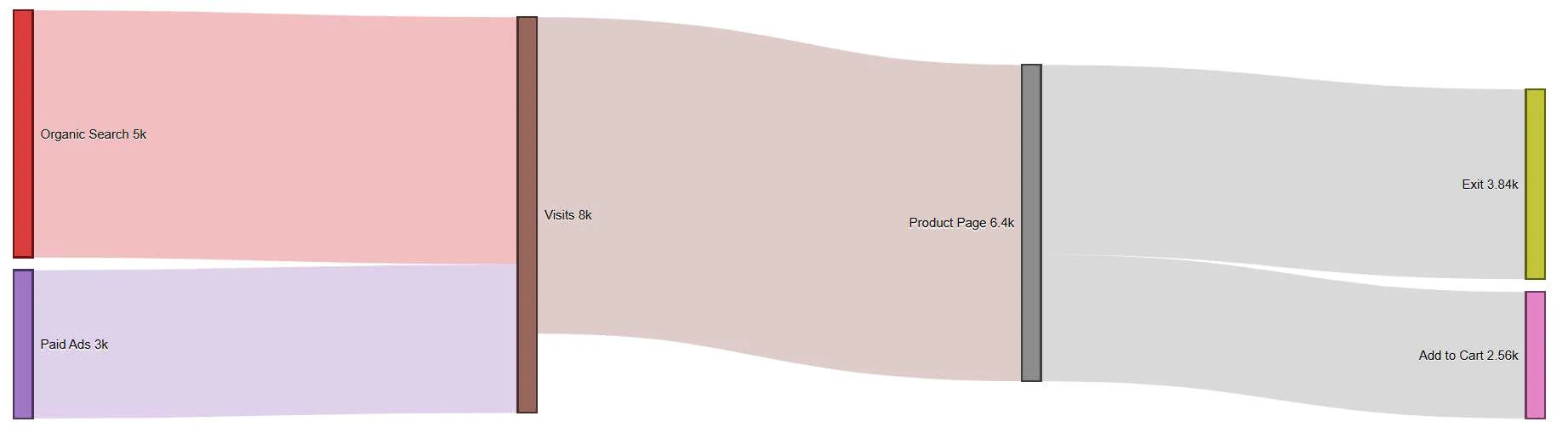
What Flow Intelligence surfaces
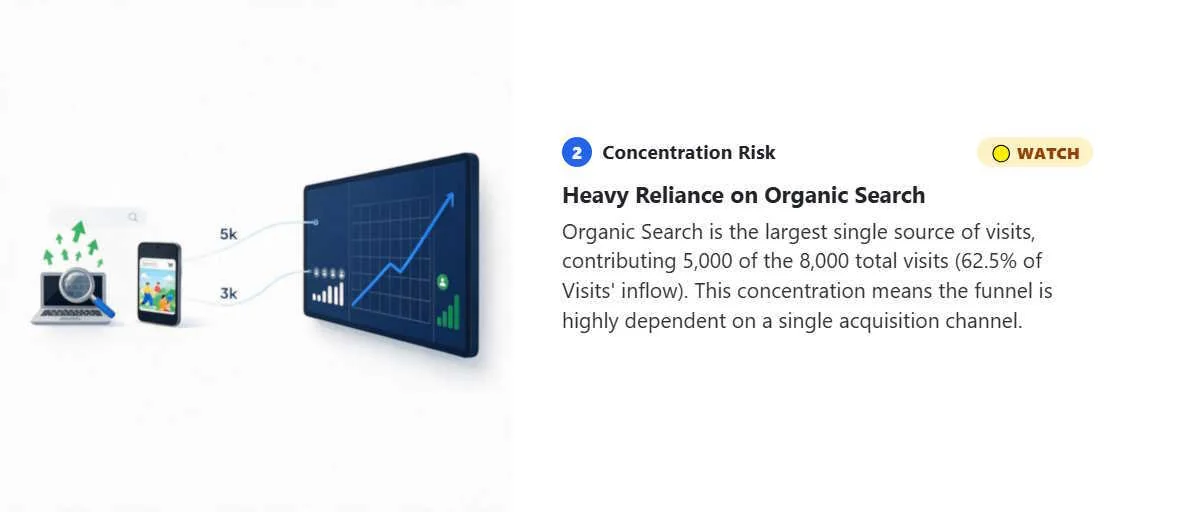
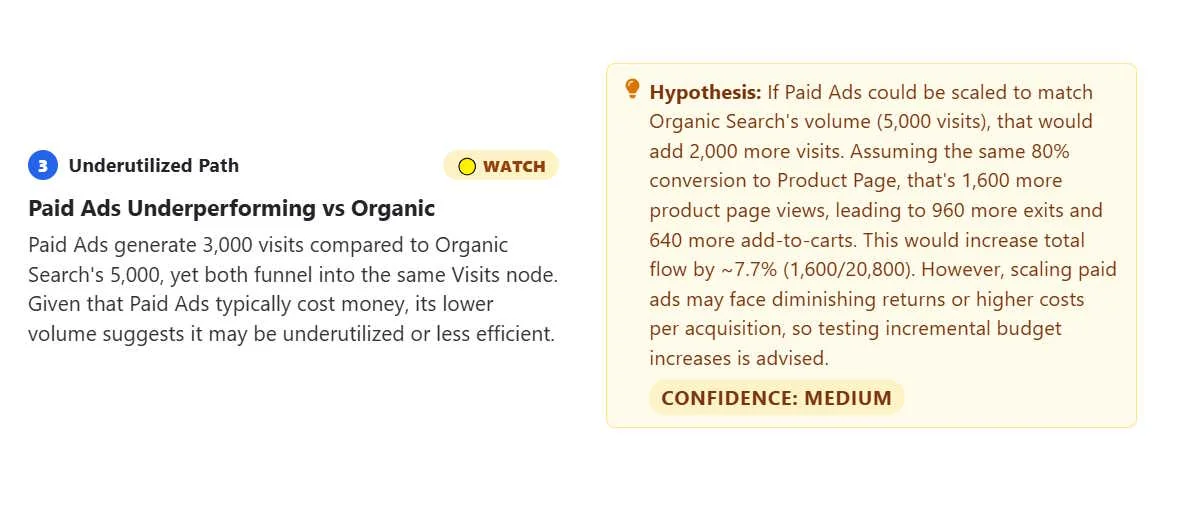
Run Flow Intelligence on this diagram and it isn't just describing the shape back to you, it's doing the arithmetic you'd otherwise have to do by hand. On this dataset, a few of the actual numbers work out to:
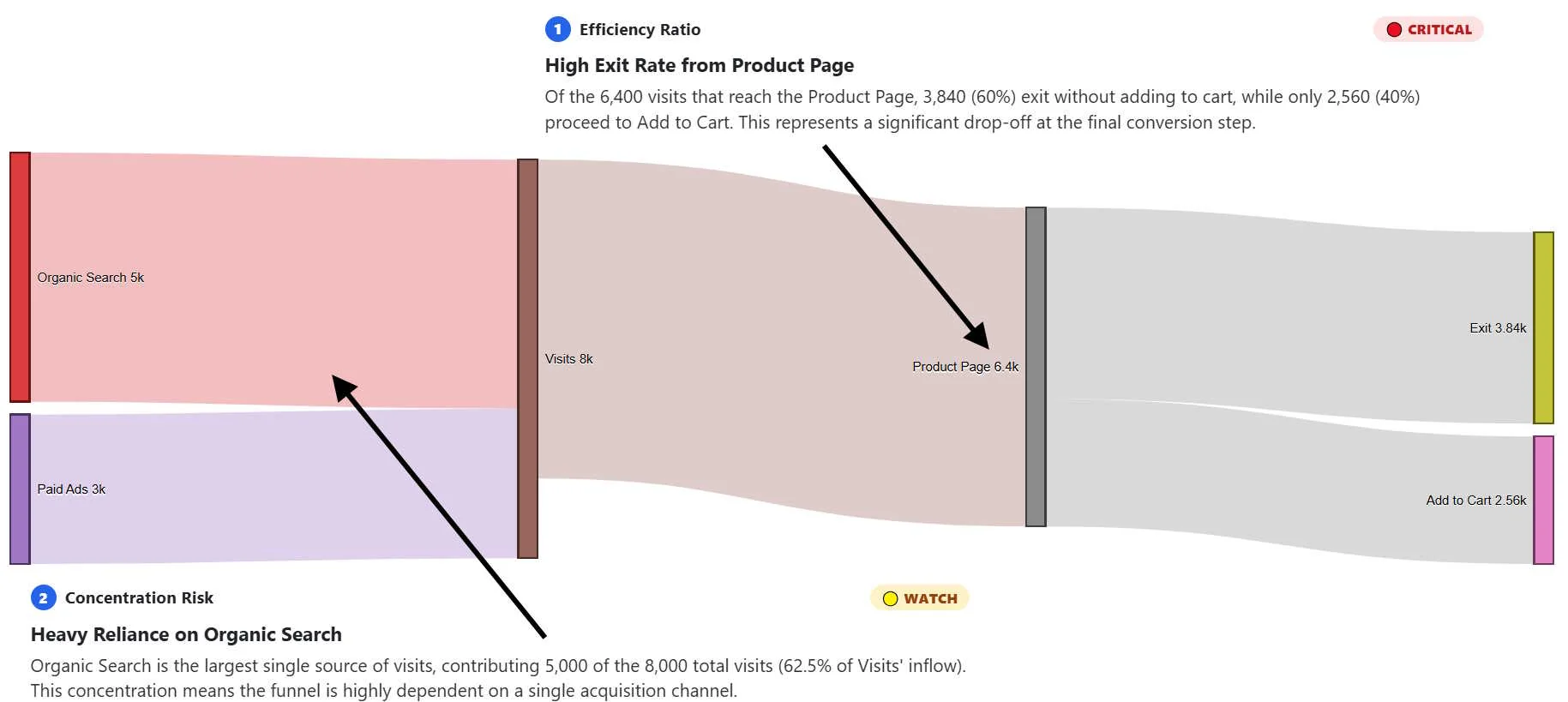
Flow Intelligence for 2 of the 4 insights: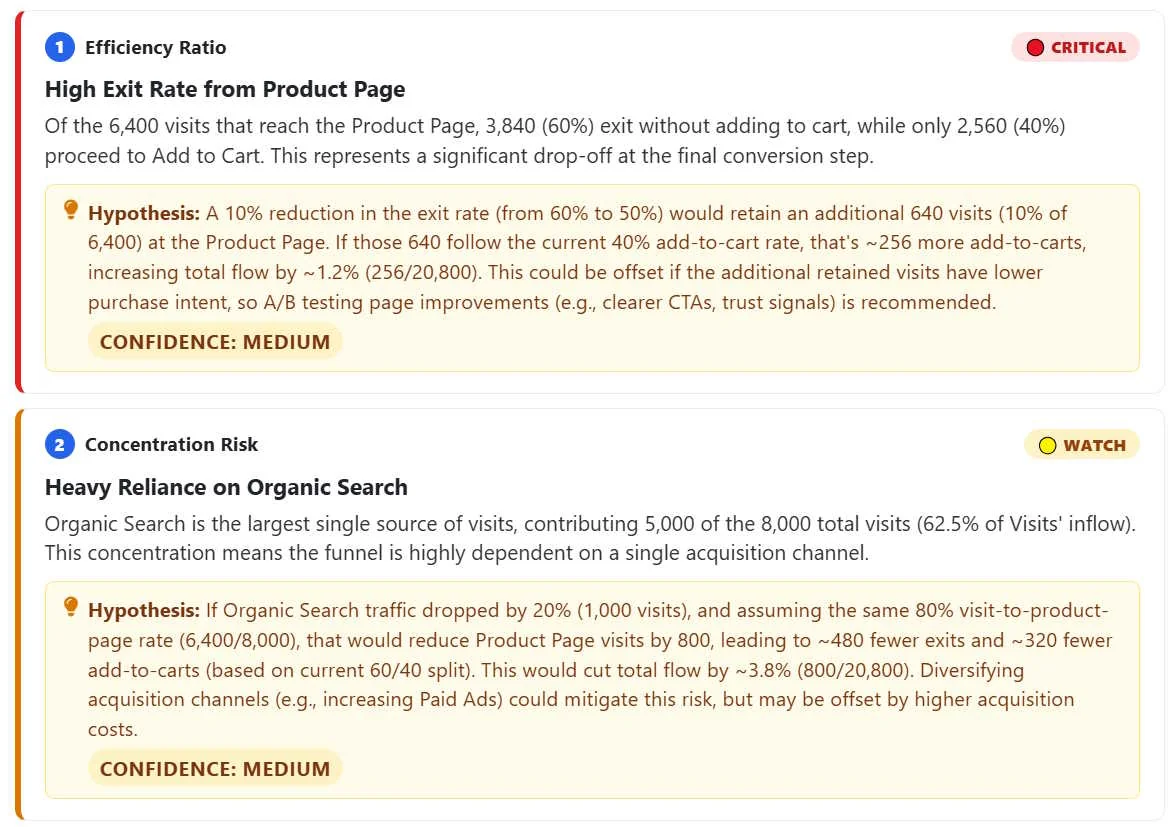
That's the analysis. On its own, it's a solid report. It's also a plain list of text, which is exactly the problem Visual Prompts exists to solve.
What Visual Prompts builds from the same data
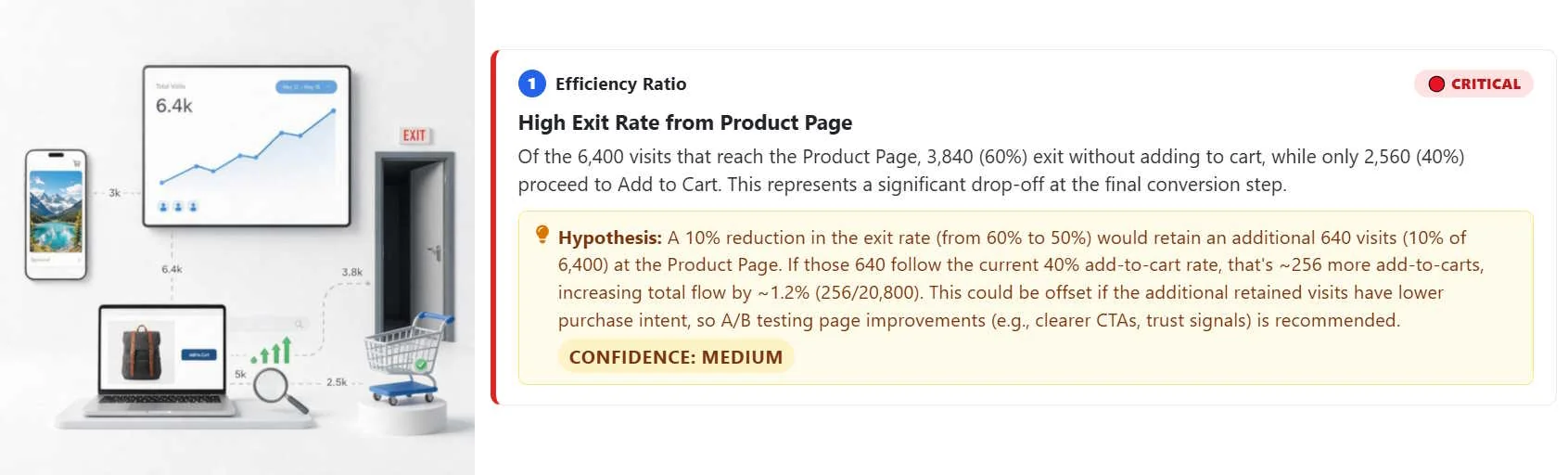
Point Visual Prompts at the same diagram and you get a slide for each flow: Organic Search feeding Visits, Product Page splitting toward Add to Cart, the big band flowing into Exit after someone's already put something in their cart. Every recurring entity, Visits, Product Page, Add to Cart, gets one locked visual description reused across every slide it shows up in.
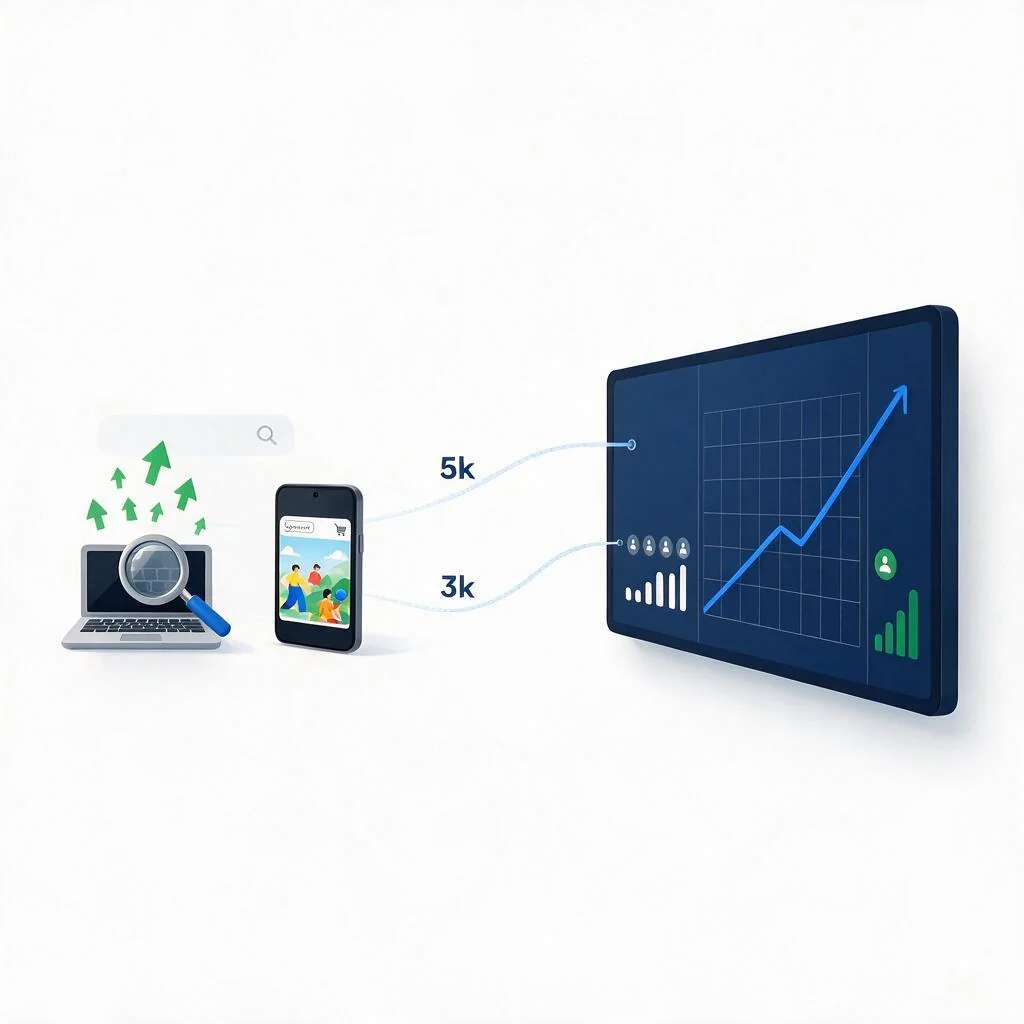
Speaking notes for the above slide are generated by the Visual Prompts tool: This slide shows where our traffic comes from. Organic search brings in 5,000 visits, while paid ads contribute 3,000 visits. Together, these two channels drive the majority of our initial site traffic.
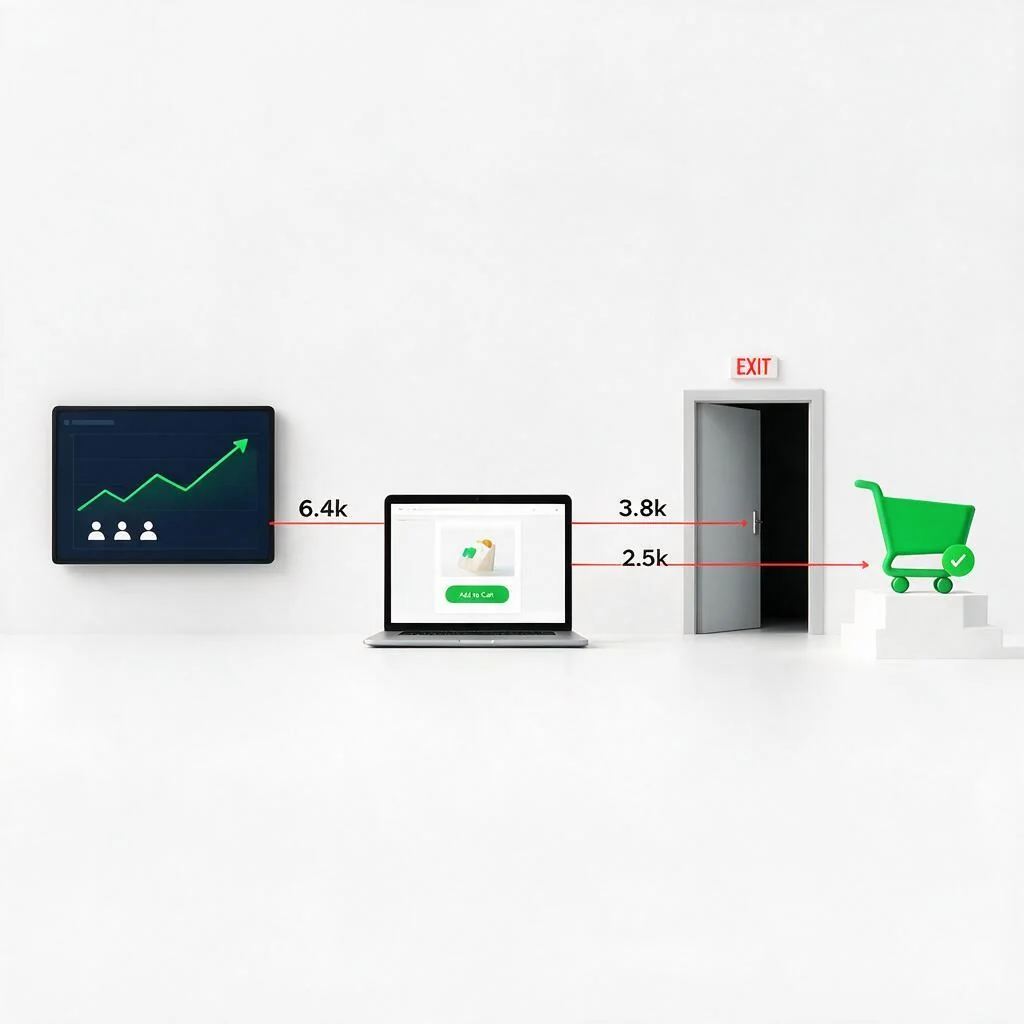
Speaking notes for the above slide are generated by the Visual Prompts tool: Here we see what happens once users land on the product page. Out of 6,400 visits, 3,800 leave the site without taking action, while 2,500 proceed to add items to their cart. This highlights a significant drop-off, but also a strong conversion to cart for those who stay.
Now you've got two separate outputs describing the same funnel: a written analysis, and a set of pictures. The move that actually makes a presentation out of them is putting the two together, deliberately, slide by slide.
How to marry the two
Don't just staple the Flow Intelligence report to the front of the slide deck and call it done. Build the deck around the insights, using the matching image as the visual for each one:
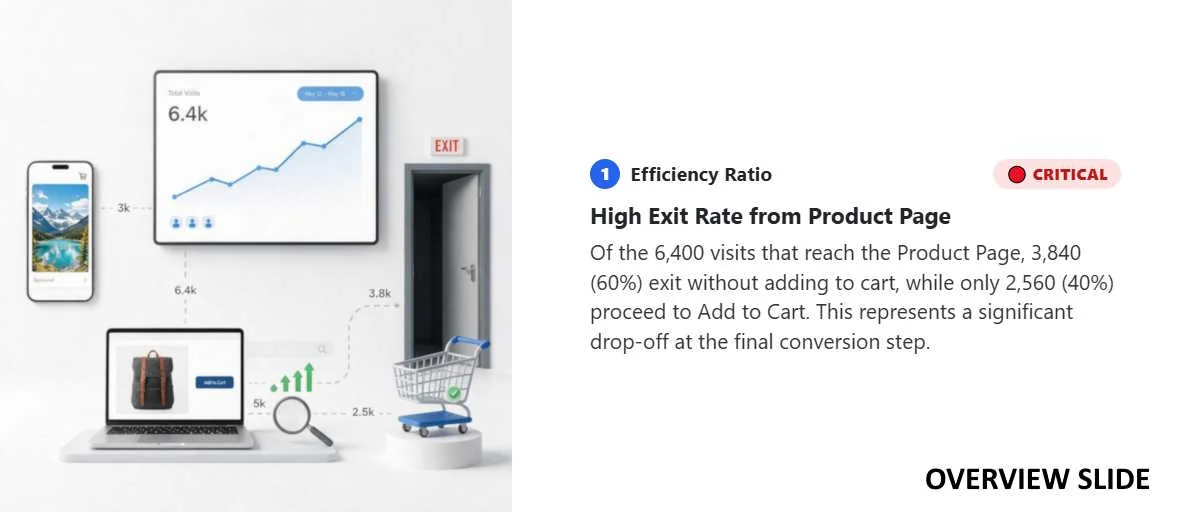
Open with the Visual Prompts overview slide as your title slide, the whole funnel in one simplified scene, so the audience has the shape of the thing before you zoom into any one part of it.
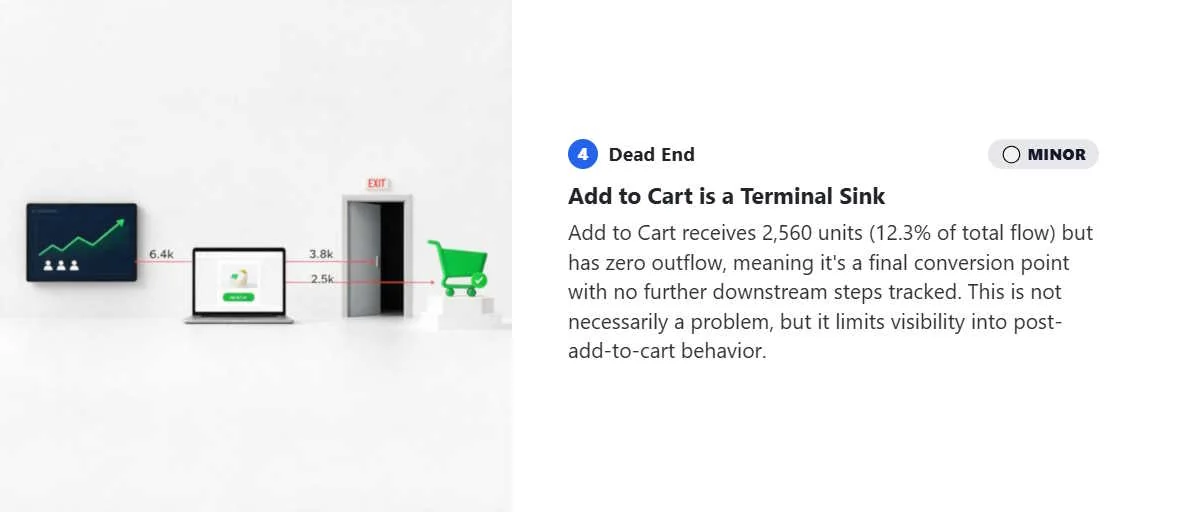
Lead with your biggest insight, not your first flow. The Add to Cart is a Terminal Sink finding is the most important thing in this dataset. Put the "Add to Cart → Exit" slide first among the detail slides, not wherever it happened to land in the generated order.
Pair each slide's image with its matching insight as the actual thing you say, not a caption underneath the picture. Visual Prompts already writes slide notes for exactly this. Use the Flow Intelligence finding to sharpen those notes if you want the "why it matters" framing more explicit: the notes describe what's happening, the insight explains why anyone should care.
Show the healthy stage too, not just the leaks. The Heavy Reliance on Organic Search is worth including specifically because it rules out a bad theory: it tells the room checkout isn't the problem, so nobody wastes time redesigning something that already works.
Close on a recommendation slide, not another data slide. After the pictures and the numbers, the last thing on screen should be the one sentence that actually matters: Paid Ads Underperforming vs Organic
The insight tells the room what to pay attention to. The image is what they actually remember afterward. Neither one does that job alone.
Try it
Build the diagram, run Flow Intelligence, run Visual Prompts, then don't treat them as two separate outputs. Build the deck around what the analysis actually found.
Discussion