Beyond Source and Target: Turning a Four-Stage Dataset Into a Top 5 Slide Deck
Most Sankey examples show two columns: a source, a target, done. But almost nothing in the real world only has two stops. A customer doesn't just go from "ad" to "purchase," they land somewhere, browse on some device, look at some category, and end up at some outcome. A hiring pipeline isn't "applied" to "hired," it's source, screen, interview, offer. Real journeys have stages, plural.
This post covers how SankeyBuilder handles that: a dataset with four stage columns and a value, reshaped automatically into a diagram, filtered down to the biggest moments, and turned into a five-slide deck that tells the story without anyone reading a spreadsheet.
What "any dataset" actually means here
A dataset doesn't have to arrive as a clean two-column edge list to become a flow diagram. It might be missing a value column entirely (we covered that case in an earlier post). Or, like this one, it might have the opposite situation: a value is right there, but the relationships span more than two columns, and each row represents a whole path rather than a single hop.
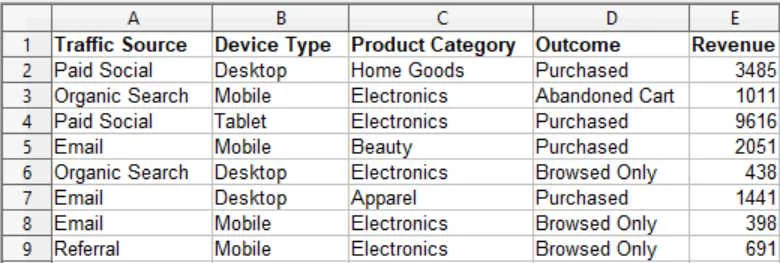
Here's what that looks like. This is a customer journey dataset: Traffic Source, Device Type, Product Category, and Outcome, four stages, plus Revenue as the value. One row is one customer segment's complete path, start to finish:
| Traffic Source | Device Type | Product Category | Outcome | Revenue |
|---|---|---|---|---|
| Paid Social | Tablet | Electronics | Purchased | 9,616 |
| Organic Search | Desktop | Electronics | Browsed Only | 438 |
| Referral | Desktop | Beauty | Purchased | 2,476 |
Turning four columns into a chain of flows
A Sankey diagram is built from edges: one source, one target, one value, repeated. A four-stage row like the one above isn't an edge, it's three edges stacked together: Traffic Source into Device Type, Device Type into Product Category, Product Category into Outcome, each one carrying that row's revenue forward.

You don't have to do that splitting by hand. In the Data tool, you designate your four columns as an ordered chain of stages, pick Revenue as the value, and the tool reshapes every row into its three edges automatically, then combines matching edges across all your rows into one clean flow list. A Desktop-to-Electronics edge from row 12 and a Desktop-to-Electronics edge from row 29 become one band in the diagram, with their values added together.
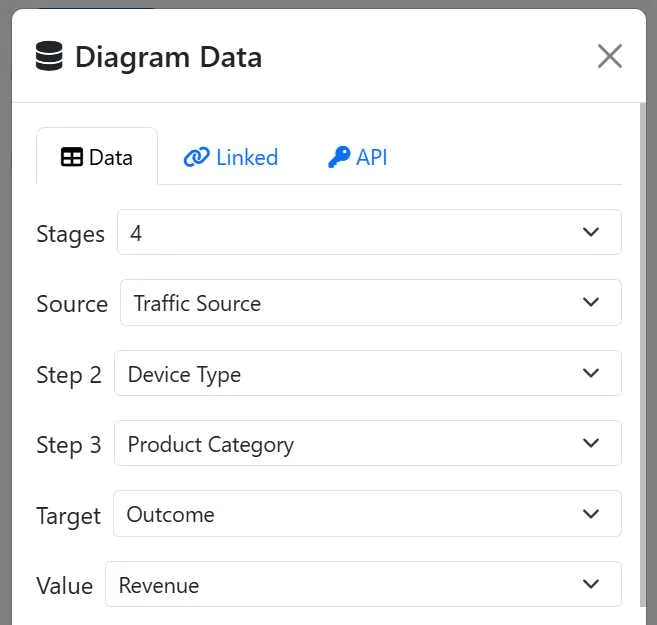
Once that reshape happens, this stops being a special case. It's just a diagram, same as any other, with 37 distinct flows once every row's three hops are combined and summed.

Filtering down to what actually matters
Thirty-seven flows is a lot to look at, let alone present. This is exactly what the Show filter is for: switch it to Top 5, and the diagram narrows to the five biggest flows by value, regardless of which stage they came from.
Running the real numbers on this dataset, here's what actually comes out on top:
| Rank | Flow | Revenue |
|---|---|---|
| 1 | Electronics → Purchased | $29,211 |
| 2 | Desktop → Electronics | $18,172 |
| 3 | Referral → Desktop | $12,546 |
| 4 | Paid Social → Tablet | $10,885 |
| 5 | Tablet → Electronics | $9,616 |
Notice these five span three different stages of the journey, not just one hop repeated five times. That's the value of ranking across the whole reshaped flow list instead of one stage at a time: it surfaces whatever actually matters most, wherever in the journey it happens to sit.
What the Top 5 looks like as a slide deck
From here, Visual Prompts turns those five flows into five AI-image-generation prompts, one click, with Electronics, Desktop, Tablet, Referral, and Paid Social each getting one locked visual description reused across every slide they appear in. Electronics shows up in two of the five flows above; whichever way you illustrate it the first time, that's exactly how it looks the second time too.
Overview Slide: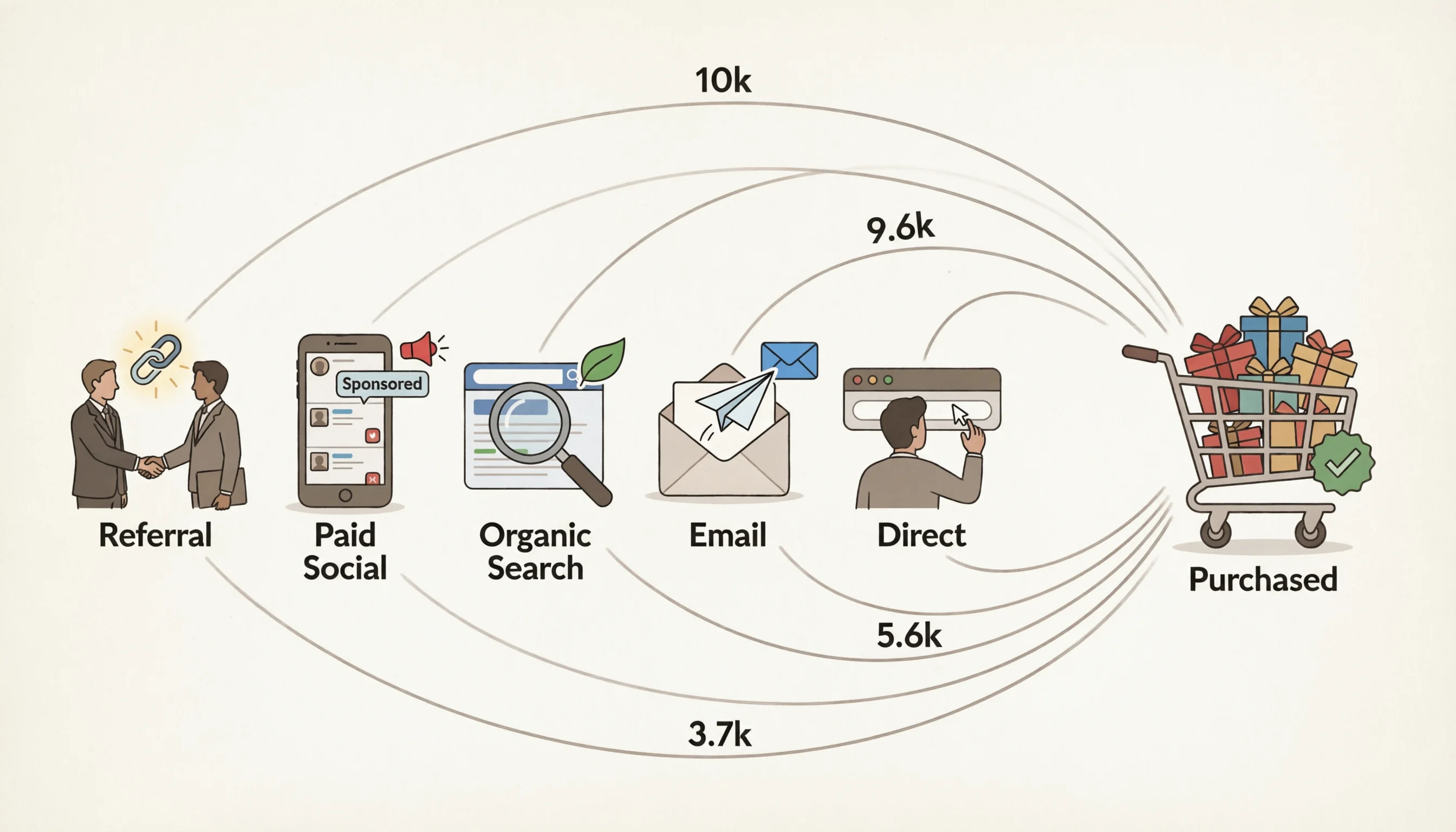
Overview Slide Notes: This slide gives a high-level view of all traffic sources and how they contribute to purchases. We have five sources: Referral, Paid Social, Organic Search, Email, and Direct, each flowing into the Purchased outcome. The values show their respective revenue contributions, with Referral leading at 10k and Direct at 3.7k.
Slide 1 (the only slide):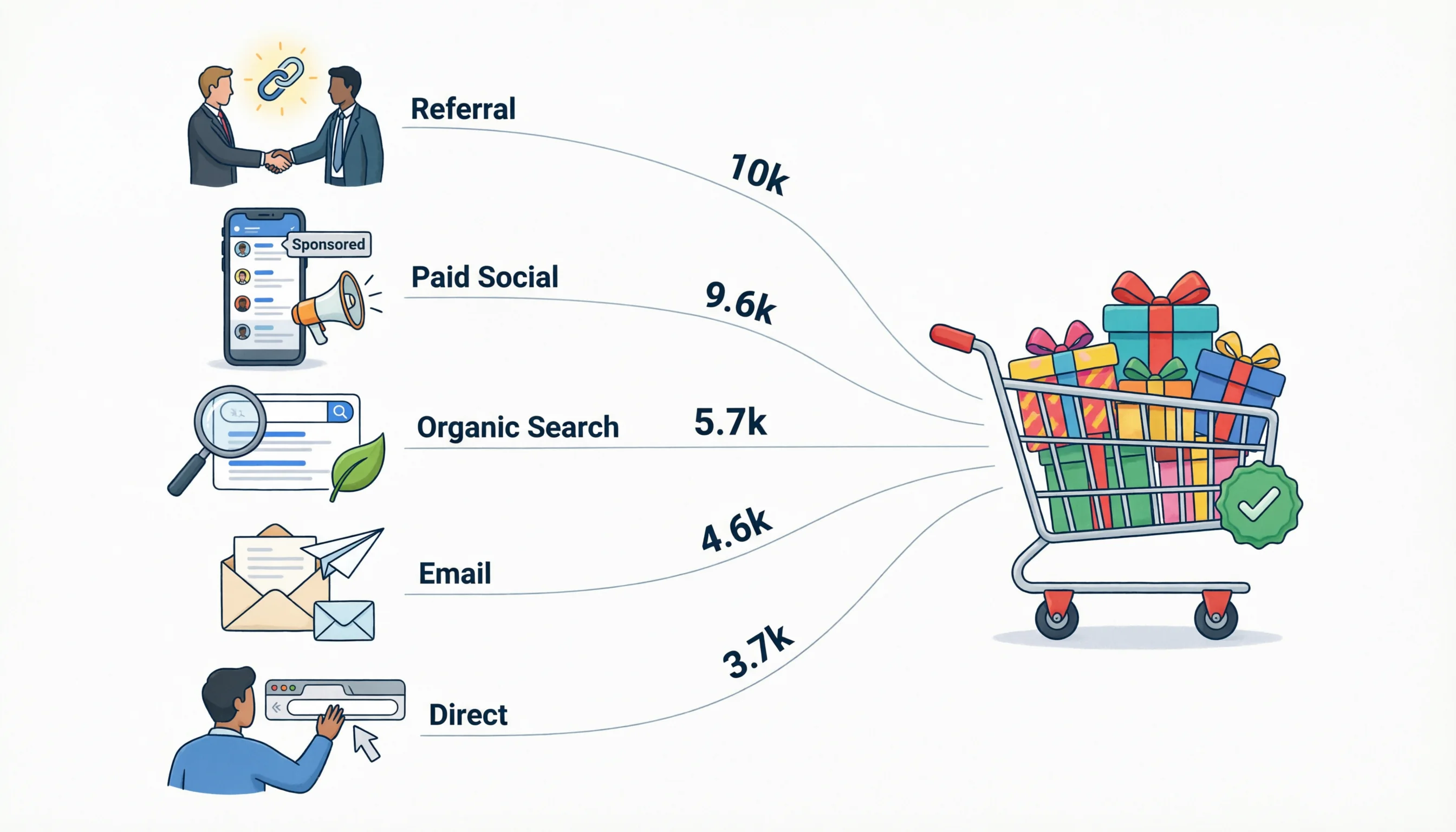
Slide 1 Notes: This slide brings together all five traffic sources and their respective revenue contributions to purchases. Referral leads with 10k, followed by Paid Social at 9.6k, Organic Search at 5.7k, Email at 4.6k, and Direct at 3.7k. Together, they show the full picture of how each channel drives revenue.
Each slide also comes with its own slide notes: a couple of sentences already written for you, using the real column names and dollar values, ready to say out loud the moment that slide comes up. Nobody has to explain what "Electronics" or "$29,211" means. It's already right there.
Note: Slides were created with Qwen 3.7-Plus (free version)
Try it
Four stages, forty stages, doesn't matter. If your data has a value and a path through it, it's already a diagram, it just hasn't been reshaped yet.
Discussion